

Guides
 What is MixMaster?
  Interface and Shortcuts
  Meet the Heroes
  What are Hench/Cores?
  Skills
  Hench Skills
  About Guilds
  Change Guild Image
  About the Castle War!
  What are Premium Zones?
  What is Synergy?
  About mix items
  How to Top Up Your Account?
  How to Redeem Items from NPC MailMan?
  Empty Message on Windows 10/11
 Guides
1. After you create your account, download the client and start the game. You will see the server selection screen.
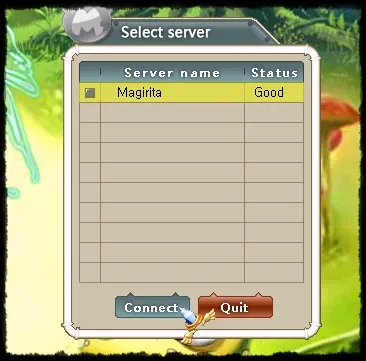
2. Select the server. Next you will reach the character creation / selection screen.
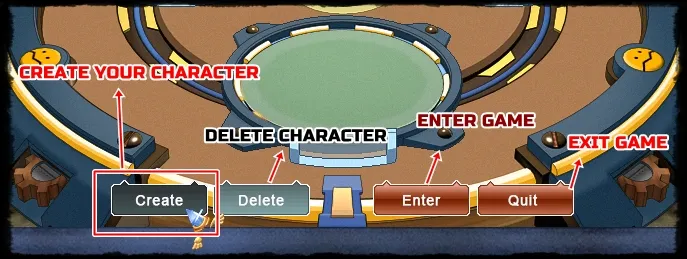
In the image above you can see what each button does. Click CREATE to make your first character.
3. The character creation screen appears. Set the following options as shown in the image:

1 - Character's Name
2 - Hero's hair color
3 - Set the hero (Ditt, Jin, Penril or Phoy)
4 - Distribute the free points among the stats you want.
5 - Confirm. If everything looks correct, your character will be created.
4. When you first enter the game, you will be in the Tutorial Zone.
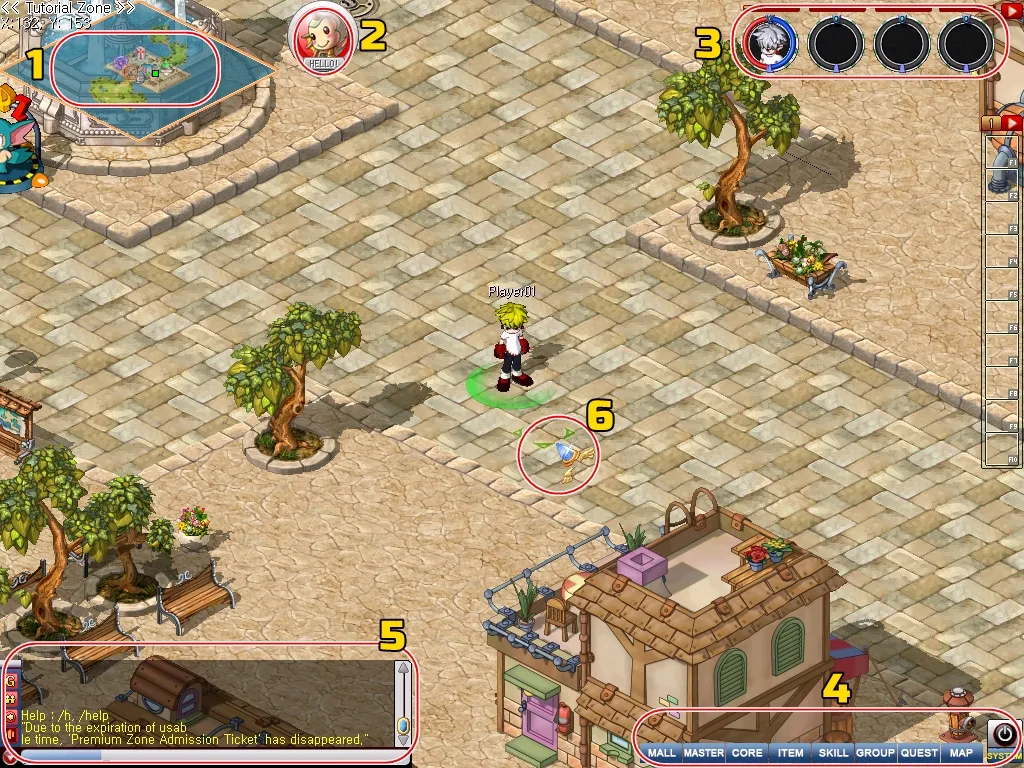
1 - Mini Map
2 - Latest important update notes.
3 - Character status area and henches.
4 - Main menu
5 - Chat: world / guild / party / private.
6 - Click to walk.
5. You can explore the map and learn a little about the world of MixMaster with Pacci and Professor Jove.
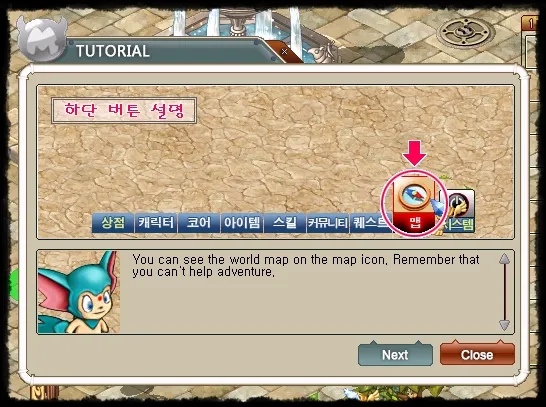
6. After completing the optional steps and learning more about the world, go to the [Monez] Warp (purple marker on the map).
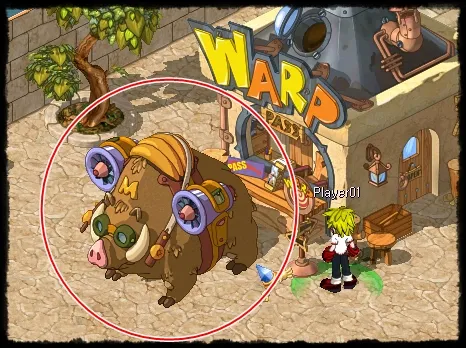
7. Talk to Monez and he will send you to the Battle Zone outside Magirita, where many players trade and fight.
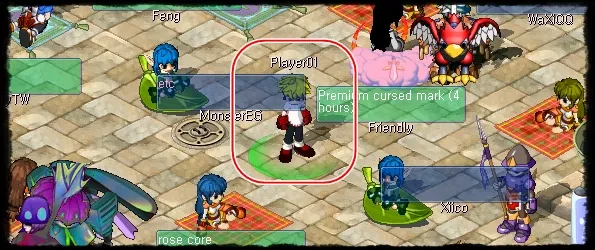
8. Talk to Monez again and travel to Magirita, the starting city.
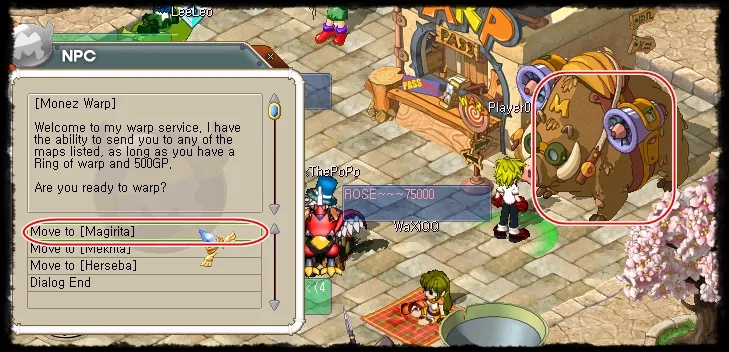
9. Once in Magirita, head north of the city to start fighting monsters.
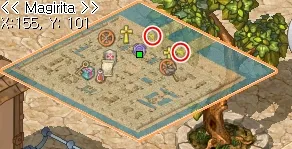
10. Click monsters to fight. After winning, you gain experience to level up. Monsters can also drop items, GP (money), or their souls (called CORE).
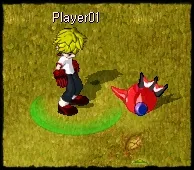
11. If a monster drops its core, you can use it as a companion: it fights beside you and stays loyal. You can also trade cores with other players.
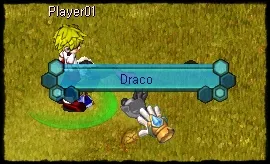
There are over 1,000 monsters in MixMaster — many of them powerful and rare. Stronger cores are usually more valuable. Make them count!
12. Killing monsters grants experience and raises your hero level. Each level-up gives status points to distribute into strength, vitality, and agility.
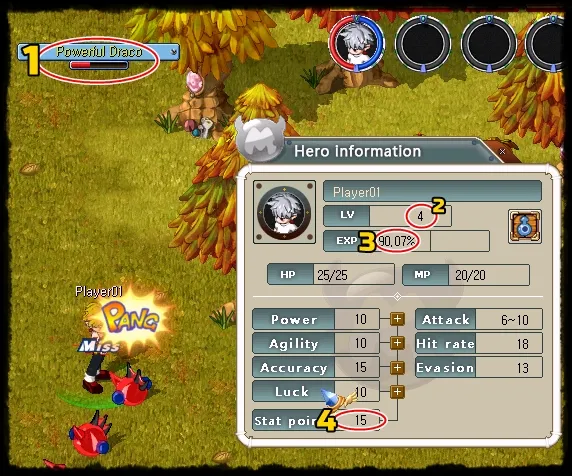
1 - Name / remaining HP of the targeted hench or monster.
2 - Current level of the character.
3 - Progress toward the next level.
4 - Points available to distribute into stats.
13. When a monster drops its core, it arrives dead in your inventory. Take it to the city’s Mix Builder to recover it before you can use it.
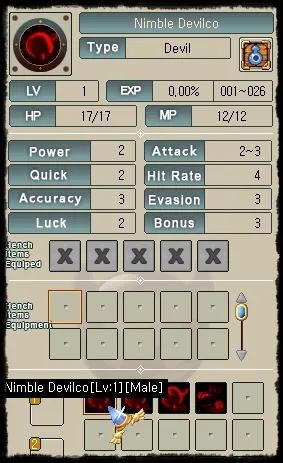
14. The Mix Builder is in every major city (orange marker on the map). Talk to the NPC and choose the core recovery option.
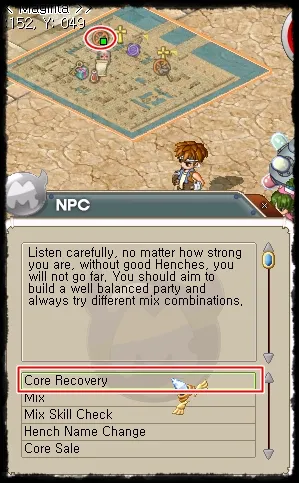
15. Each recovery costs GP. The fee depends on the hench’s level and strength.
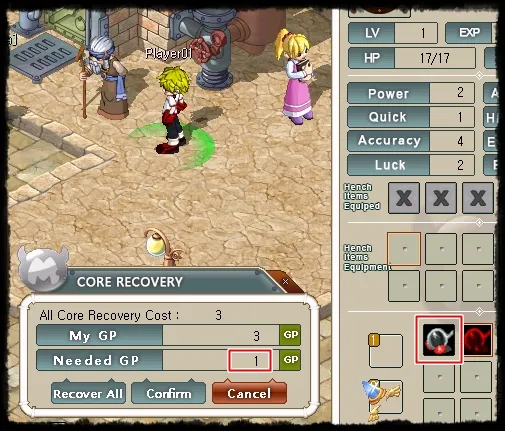
16. After recovery, you can use the monster as a companion. Double-click it and it will follow you. It will also attack enemies when you command it.
1 - Slot for your first hench (you can use up to 3 at once).
2 - Active henches also have HP and MP. Keep them above zero in battle. If they fall, recover them again at the Mix Builder.
3 - Your hench follows you wherever you go. Remember: you can only control henches up to 15 levels above your own. Very strong henches cannot be used at low level.
2. Select the server. Next you will reach the character creation / selection screen.
In the image above you can see what each button does. Click CREATE to make your first character.
3. The character creation screen appears. Set the following options as shown in the image:
1 - Character's Name
2 - Hero's hair color
3 - Set the hero (Ditt, Jin, Penril or Phoy)
4 - Distribute the free points among the stats you want.
5 - Confirm. If everything looks correct, your character will be created.
4. When you first enter the game, you will be in the Tutorial Zone.
1 - Mini Map
2 - Latest important update notes.
3 - Character status area and henches.
4 - Main menu
5 - Chat: world / guild / party / private.
6 - Click to walk.
5. You can explore the map and learn a little about the world of MixMaster with Pacci and Professor Jove.
6. After completing the optional steps and learning more about the world, go to the [Monez] Warp (purple marker on the map).
7. Talk to Monez and he will send you to the Battle Zone outside Magirita, where many players trade and fight.
8. Talk to Monez again and travel to Magirita, the starting city.
9. Once in Magirita, head north of the city to start fighting monsters.
10. Click monsters to fight. After winning, you gain experience to level up. Monsters can also drop items, GP (money), or their souls (called CORE).
11. If a monster drops its core, you can use it as a companion: it fights beside you and stays loyal. You can also trade cores with other players.
There are over 1,000 monsters in MixMaster — many of them powerful and rare. Stronger cores are usually more valuable. Make them count!
12. Killing monsters grants experience and raises your hero level. Each level-up gives status points to distribute into strength, vitality, and agility.
1 - Name / remaining HP of the targeted hench or monster.
2 - Current level of the character.
3 - Progress toward the next level.
4 - Points available to distribute into stats.
13. When a monster drops its core, it arrives dead in your inventory. Take it to the city’s Mix Builder to recover it before you can use it.
14. The Mix Builder is in every major city (orange marker on the map). Talk to the NPC and choose the core recovery option.
15. Each recovery costs GP. The fee depends on the hench’s level and strength.
16. After recovery, you can use the monster as a companion. Double-click it and it will follow you. It will also attack enemies when you command it.
1 - Slot for your first hench (you can use up to 3 at once).
2 - Active henches also have HP and MP. Keep them above zero in battle. If they fall, recover them again at the Mix Builder.
3 - Your hench follows you wherever you go. Remember: you can only control henches up to 15 levels above your own. Very strong henches cannot be used at low level.